
Makerspace


Makerspace FAQ
-
The Makerspace is a place for creativity and crafts. It offers tools and a space to work, as well as assistance with your projects.
- 3D Printer
- Laser Cutter
- Cricut Machine
- Sublimation Printing (T-shirt printing etc.)
- 17" Inkjet Photo Printer
- Sewing Machines
- Button Maker
- Sticker Maker
- Photo Box
- Tripod
-
Anyone with a library card and who is 14 years or older can use the Makerspace upon request. Want to make a request? Fill out this form, opens a new window and our Makerspace Manager will contact you.
Those who have completed badge training can use the Makerspace at any time it is open and staffed, as well as have exclusive privileges to use the Makerspace during badge-only hours.
-
Using the Makerspace and its equipment is completely free! However, there may be costs associated with the materials used for your projects.
- Bring your own materials to reduce costs: You can reduce or eliminate costs by bringing your own supplies (e.g., Cricut vinyl, 3D printer filament, or large-format photo paper).
- Limited stock available: We offer some materials for purchase, but we do not keep everything in stock.
- Need advice? Our Makerspace Manager is happy to help you brainstorm and choose the best materials for your specific project.
- See the Makerspace Fees page, opens a new window for the most up-to-date materials list.
-
A Makerspace Badge is your free pass to independently operate our equipment.
By scheduling and completing a 20- to 60-minute training appointment for a specific machine, you earn a mark on your badge that grants you the freedom to use that equipment anytime the Makerspace is open, as well as during exclusive Badge-Only Hours.
Interested in becoming badged? Fill out this form to get started., opens a new window
-
Not necessarily. If you would like our Makerspace Manager to print an item for you, you can use this form., opens a new window
Keep in mind that due to the volume of requests and the time 3d printing takes, there will be a wait time for your item to be completed.
Ready to get badged?
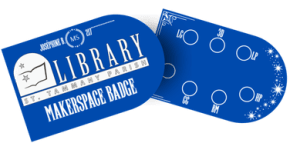
A Badge is your key to the Makerspace. It allows you to use machines you’ve been trained on without direct supervision at any time when the Makerspace is open (when no other badge training or programs are taking place) and during Badge Only Hours.
- There is no cost for badge training or to receive a badge; however, you must have a library card in good standing to begin the badging process.
- Badge Training is by appointment only. Please fill out the form below, and the Makerspace manager will contact you.
- Badge Only Hours are exclusive times when only badge holders can use the Makerspace.
- Those with badges can use the Makerspace at all other times the Makerspace is open, unless there is a class going on.
Makerspace Badge Only Hours
Monday - Thursday
6 p.m. to 7:30 p.m.
Friday and Saturday Badge Only hours will depend on staffing. Please check with the Makerspace manager to ensure availability.
Badge Training
- Button Maker - 20 Min
- 17" Inkjet Photo Printer - 20 Min
- Cricut - 25 Min
- 3d Printing - 30 Min
- Sewing - 30 Min
- Sublimation - 30 Min
- Laser Cutter - 45 Min
How to apply for a badge:
- Be a library card holder in good standing
- Be 14 years or older (if under 18, must have parental permission)
- Fill out the form below and you will be contacted by our Makerspace Manager
Questions?
Email makerspace@stpl.us
Phone 985.845.4819 Ext. 5006
Madisonville Branch
1123 Main St., Madisonville, LA 70447
Makerspace Operating Hours
Monday - Thursday
9 a.m. to 7:30 p.m.
Friday and Saturday
9 a.m. to 4:30 p.m.
Makerspace Badge Only Hours
Monday - Thursday *
6 p.m. - 7:30 p.m.
(*Friday and Saturday will depend on staffing, please check with the Makerspace Manager)